
Rainfall attenuates radio waves, with Ku-band signals losing 10-15 dB during heavy storms; concrete buildings block signals, causing over 20 dB loss in cities. Nearby Wi-Fi (2.4 GHz) or Bluetooth devices introduce noise, reducing clarity by up to -30 dBm.
Table of Contents
Tall Buildings Block Signal
Radio signals, especially those above 1 GHz like 5G (which often operates at 3.5 GHz or 28 GHz), have very short wavelengths. These high-frequency waves travel mostly in a straight line and are easily blocked or reflected by solid obstacles. A dense concrete and steel building doesn’t just slow your signal down; it can attenuate it by 20 dB or more, effectively reducing its strength by 99%. This creates what engineers call “shadow regions,” or dead zones, which can extend up to 500 meters behind a large structure relative to the transmission source. The higher the frequency, the worse the effect. For instance, a 5 GHz Wi-Fi signal will experience significantly more attenuation when passing through a building than a 2.4 GHz signal.
A 300-meter-tall skyscraper can easily reflect signals from a cell tower operating at 2.1 GHz. The remaining energy tries to bend around the building, a phenomenon called diffraction, but this bending causes a significant loss in power. The amount of loss depends heavily on the obstacle’s geometry. The famous “knife-edge diffraction” model calculates this loss precisely. For a building that is 50 meters tall and positioned directly between you and a cell tower 1 km away, the diffraction loss can be approximately 15–25 dB.
| Material | Approximate Signal Attenuation (for a 5 GHz wave) |
|---|---|
| Clear Glass Window | 3 – 5 dB |
| Drywall / Timber | 5 – 10 dB |
| Concrete Block | 10 – 15 dB |
| Reinforced Concrete | 15 – 20 dB |
| Metal Framework | >25 dB (effectively a complete block) |
“Urban canyons are the most challenging environments for stable radio links. Network planning requires sophisticated software to model signal propagation around buildings, but physical reality always introduces unpredictable attenuation.”
This is why urban network planning is so complex. carriers install small cells every 200-300 meters in dense downtown cores to combat this. These low-power nodes create smaller, more resilient networks that can peek around obstacles, ensuring that the signal loss from any one building is kept to a minimum. The goal is to ensure that even in the deepest shadow region, the signal rarely drops below the -100 dBm threshold required for a basic voice call. Without this dense infrastructure, data speeds in cities could plummet from a potential 1 Gbps to an unusable 1 Mbps or less behind a major obstruction.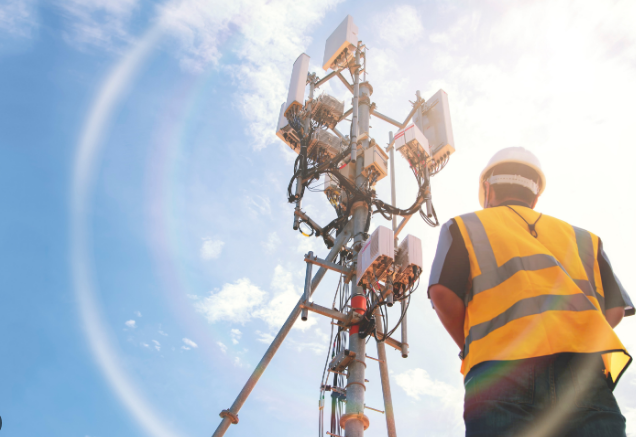
Weather and Signal Strength
Heavy rainfall can cause signal attenuation exceeding 25 dB for high-frequency satellite links (Ka-band, ~26 GHz), enough to completely disrupt a service. This isn’t just about a slow internet connection; it’s a quantifiable physical phenomenon where raindrops absorb and scatter radio energy, converting it into negligible amounts of heat and effectively robbing the signal of its strength. The loss depends on the intensity of the rain, measured in millimeters per hour (mm/h), and the signal’s frequency. A moderate rain rate of 12.5 mm/h can attenuate a 12 GHz signal by roughly 1.5 dB per kilometer (0.93 dB per mile). Over a long-distance link of 10 km, this adds up to a crippling 15 dB loss.
| Weather Condition | Frequency Band | Typical Attenuation | Impact on a 10 km Link |
|---|---|---|---|
| Light Rain (2.5 mm/h) | Ku-band (12 GHz) | ~0.3 dB/km | 3 dB loss (~50% power loss) |
| Heavy Rain (25 mm/h) | Ka-band (26 GHz) | ~5.2 dB/km | 52 dB loss (near total loss) |
| Dry Snow | C-band (6 GHz) | ~0.1 dB/km | 1 dB loss (minimal impact) |
| Wet Snow | Ku-band (12 GHz) | ~0.8 dB/km | 8 dB loss (significant impact) |
| Fog (0.1g/m³ density) | V-band (60 GHz) | ~1.4 dB/km | 14 dB loss (severe impact) |
The water molecule resonates at around 22.24 GHz, causing a significant absorption peak. Signals at this frequency used for satellite downlinks can experience attenuation upwards of 0.2 dB/km even in clear but very humid air (100% relative humidity at 20°C). This is why many satellite internet services (e.g., Starlink) operate in lower frequency bands like Ku-band (12-18 GHz) to balance data capacity with weather resilience. Temperature also plays a secondary role; it affects the density of water vapor in the air.
A hot, humid day at 35°C and 80% humidity holds a much higher absolute concentration of water vapor than a cool day at 10°C with the same relative humidity, leading to potentially higher signal loss for vulnerable frequencies. This is a key reason why long-range microwave links operating above 10 GHz require meticulous planning with detailed meteorological data to ensure a 99.99% annual availability rate, often necessitating extra transmitter power or shorter hop distances to compensate for predicted weather-induced fade margins.
Electronic Device Interference
The modern home is a minefield of radio signals, with the average household containing over 10 Wi-Fi and Bluetooth-enabled devices all competing for airspace. This congestion is a primary source of interference, but a more insidious problem comes from devices that unintentionally leak electromagnetic noise. Cheap power adapters, LED light drivers, and faulty microwave ovens are frequent culprits. These devices often lack adequate shielding and can generate significant broadband radio frequency interference (RFI), effectively raising the noise floor across a wide spectrum.
For instance, a poorly designed 12V DC power adapter for a monitor can emit noise spanning from 30 MHz to 1 GHz, with field strengths measuring up to 45 dBμV/m at a 3-meter distance. This is well above the limits set by FCC Part 15 regulations for unintentional radiators, which typically cap emissions at 40 dBμV/m for frequencies between 30-88 MHz. This noise directly reduces the signal-to-noise ratio (SNR) for your router, forcing it to downshift to slower, more robust modulation schemes like 802.11b, which can cut maximum Wi-Fi throughput by 80% from a potential 1.3 Gbps to under 100 Mbps.
This unintentional radiation often manifests as harmonic emissions. A device with an internal oscillator running at 100 MHz can generate strong harmonics at 200 MHz, 300 MHz, and beyond, potentially landing directly on a frequency used for digital television or cellular communications. The impact is immediate and measurable. Placing a such noisy device within 2 meters of your Wi-Fi router can degrade its signal integrity, increasing packet loss from a typical 1% to over 15% during active transmission. Another common issue is intermodulation distortion, which occurs when two or more strong, legitimate signals mix inside a non-linear element like a rusty connector or a poorly biased transistor in a cheap device. This creates new, interfering signals at mathematical frequencies (e.g., f1 + f2, f1 – f2).
For example, a 2.4 GHz Wi-Fi signal (channel 6 at 2.437 GHz) and a nearby 2.45 GHz cordless phone signal can intermodulate, producing interference at 2.424 GHz, which could disrupt Wi-Fi channel 4. The solution is both strategic and physical: increasing the physical separation between noise sources and receivers to at least 3 meters can often attenuate interfering signals by 6-10 dB.
Distance from Transmitter
For a common Wi-Fi signal at 2.4 GHz, the path loss over a 100-meter distance in an open field is approximately 80 dB. This means a signal that starts at a robust 20 dBm (100 milliwatts) from your router arrives at your device as a feeble -60 dBm. While still usable, this represents a 100-million-fold decrease in power from its origin. Move another 100 meters to 200 meters, and the loss jumps to approximately 86 dB, reducing the received signal to -66 dBm, a level where connection stability often begins to crumble and data rates plummet.
In simple terms, doubling the distance from the transmitter quarters the received signal power. This translates to a 6 dB decrease in signal strength for every doubling of distance. This core phenomenon is exacerbated by several key factors that determine your real-world experience:
- Frequency: Higher frequencies suffer more severe path loss. A 5 GHz Wi-Fi signal will experience about 8 dB more loss than a 2.4 GHz signal over the same distance. This is a primary reason why 5 GHz networks have a shorter effective range than their 2.4 GHz counterparts, despite offering higher potential speeds.
- Transmitter Power: A router emitting a 200 mW (23 dBm) signal provides a 3 dB advantage over a standard 100 mW (20 dBm) router. This 3 dB gain effectively allows the signal to travel approximately 40% farther while maintaining the same signal quality, though it quickly hits the steep wall of path loss.
- Obstacles: While covered in detail elsewhere, it’s critical to note that distance and obstacles combine for a devastating effect. A -70 dBm signal that might provide a stable 50 Mbps connection in an open space can become unusable after passing through a single interior wall, which might add 15-20 dB of attenuation, pushing the signal below the -85 dBm threshold required for a basic connection.
A macrocell tower might cover a radius of 1-2 kilometers in a suburban area, but its signal strength at the edge of that cell is often a marginal -110 to -115 dBm, just barely sufficient for a voice call. To provide the high data rates demanded for streaming, carriers deploy small cells every 200-300 meters in urban cores, ensuring that the distance between you and a transmitter is always minimized, counteracting the relentless effect of path loss.
Solar Activity Effects
The sun, from a radio perspective, is anything but quiet. Its activity follows an 11-year cycle where its magnetic field flips, and the number of sunspots visible on its surface rockets from 0 to over 100. This isn’t just an astronomical curiosity; it directly dictates the condition of Earth’s ionosphere, a charged layer of the upper atmosphere 60 km to 1,000 km in altitude that is critical for long-distance radio communication. During the peak of this cycle, solar ultraviolet and X-ray radiation intensifies, dramatically increasing the ionization of the F2 layer, the highest and most dense region of the ionosphere. This heightened ionization allows high-frequency (HF) radio waves between 3 MHz and 30 MHz to be refracted back to Earth over much greater distances, enabling intercontinental communication with power as low as 100 watts.
An X-class solar flare, the most powerful category, can release enough X-rays to reach Earth in 8.3 minutes, overwhelming the sunlit side of the ionosphere. This causes a Sudden Ionospheric Disturbance (SID), rapidly increasing ionization in the D-layer (~60-90 km altitude). This dense, low layer acts like a sponge, absorbing rather than refracting HF signals, causing a complete blackout of HF communications on the entire sunlit side of the planet for periods ranging from 15 minutes to over an hour. This absorption is frequency-dependent; lower frequencies are hit hardest. A 10 MHz signal can experience absorption exceeding 20 dB, while a 25 MHz signal might see only 5 dB of loss.
Following a flare, a Coronal Mass Ejection (CME) can arrive 18 to 48 hours later, triggering a geomagnetic storm. These storms distort the ionosphere, creating turbulence and large-scale irregularities. This has two major impacts:
- HF Communication Degradation: Instead of a clean mirror, the ionosphere becomes uneven, scattering signals and causing fading of 20 dB or more and making long-distance communication highly unreliable.
- Satellite Navigation Errors (GPS): The storm alters the total electron content (TEC) of the ionosphere, which changes the propagation speed of GPS signals. This can introduce rapidly varying positioning errors of 10 meters to over 50 meters, rendering high-precision applications useless until the storm subsides.
| Solar Event | Primary Impact on Radio | Frequency Range Most Affected | Typical Duration | Effect on Signal |
|---|---|---|---|---|
| X-Class Solar Flare | Sudden Ionospheric Disturbance (SID) | HF (3-30 MHz) | 15-60 minutes | Complete absorption on sunlit side |
| Geomagnetic Storm | Ionospheric Scintillation & TEC Variation | HF & GPS L1 (1.575 GHz) | 12 hours to 3 days | 20+ dB fading (HF), 10-50m GPS errors |
| Coronal Hole | High-Speed Solar Wind | Polar HF Routes | Recurring every ~27 days | Increased polar cap absorption |
For users, this means HF communications can become impossible, and GPS accuracy can degrade significantly during periods of high solar activity. The key for navigation is to use multi-frequency receivers that can estimate and correct for ionospheric delay, reducing errors to under 2 meters during quiet conditions, though this correction is often overwhelmed during a major storm.
Other Wireless Networks Nearby
It’s common to scan and find 15 to 20 distinct Wi-Fi networks within range, all transmitting on the 2.4 GHz band’s 3 non-overlapping channels. This creates an environment of co-channel and adjacent-channel interference, where your device’s receiver is bombarded with multiple strong signals it must ignore to hear its own router. The result isn’t just slower speeds; it’s a drastic increase in medium contention. Each Wi-Fi access point must wait for a clear channel before transmitting, a process governed by the CSMA/CA protocol. With 20 competing networks, the time your AP spends waiting can exceed the time it spends sending your data, reducing channel efficiency by 60% or more and increasing latency from a typical 10 ms to over 500 ms.
Even if your signal is stronger, your router must still pause transmission if it detects another AP’s signal above a specific threshold, typically around -82 dBm. This is like trying to have a conversation in a room where 15 other pairs of people are talking about different things; you have to constantly stop and listen for a break. Second, adjacent-channel interference is often worse. A router on channel 6 blurs into channels 5 and 7 due to spectral mask regulations. If a nearby AP is on channel 5, its energy spills into your channel 6, raising the noise floor. This degrades your signal-to-noise ratio (SNR). An SNR of 25 dB might support a 256-QAM modulation for 150 Mbps throughput on a single spatial stream. A 5 dB drop in SNR from interference can force a fallback to 16-QAM, cutting your speed to ~65 Mbps on the same stream.
The 2.4 GHz band is essentially a single-lane road crowded with cars. Even if you’re in a fast car, you can’t go anywhere if the road is jammed.
Mitigating this requires a strategic approach:
- Band Steering: The most effective solution is to shift capable devices to the 5 GHz band, which offers 23 non-overlapping 20 MHz channels compared to the 2.4 GHz band’s 3. This dramatically reduces the probability of overlap.
- Channel Width: Avoid using 40 MHz channels in the 2.4 GHz band. This setting consumes 2 of the 3 available channels, guaranteeing catastrophic interference with nearly every other network nearby. In the 5 GHz band, 80 MHz channels can be used more effectively but still require a clear spectrum scan.
- Physical Placement: If you must use 2.4 GHz, use a Wi-Fi analyzer app to identify the least congested channel (1, 6, or 11). Even a 10% reduction in competing signal strength by choosing a better channel can improve throughput by 20%. For ultimate performance, upgrading to a Wi-Fi 6 (802.11ax) router is crucial, as its OFDMA and BSS Color features are specifically designed to mitigate the performance loss in high-density environments, often sustaining 70% efficiency where a Wi-Fi 5 router would drop to 30%.






