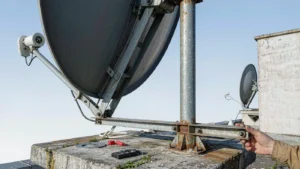
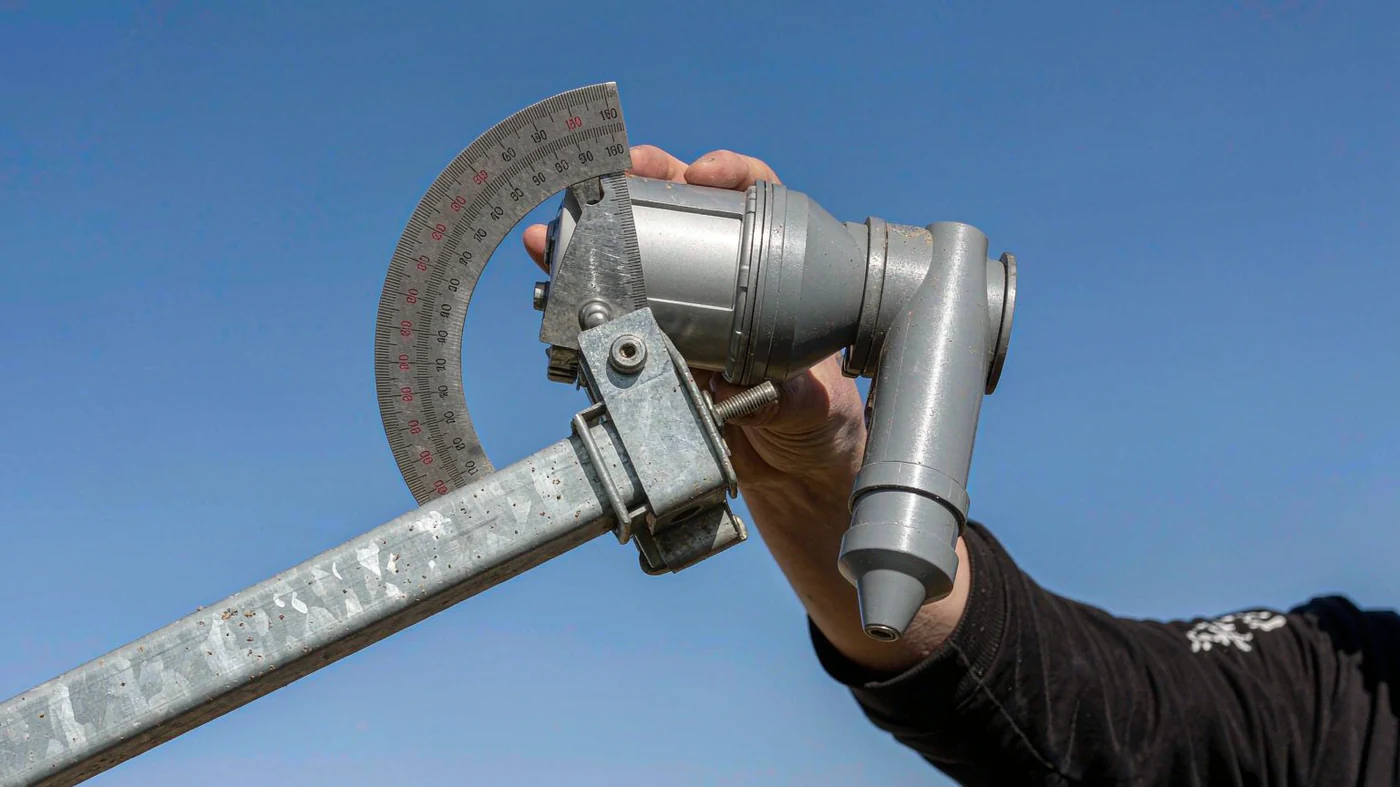
On a fixed dish receiving linear polarization, first confirm you’re aimed at the right satellite. Then loosen the clamp and rotate the low-noise block downconverter (LNB) to the skew angle for your location and satellite. Fine-tune the rotation without moving the dish. Use signal quality, not strength, and verify reception on both horizontal and vertical transponders before and after tightening the clamp.
Table of Contents
Check Whether Skew Applies
Skew is rotation around the feed axis. It aligns the receive polarization at the dish feedhorn with the incoming signal. Use this procedure for linear horizontal and vertical services. For circular reception, follow the provider’s instructions for right- or left-hand polarization rather than using linear skew to tune the signal [1].
If you have a monoblock, a multifeed bracket, or a motorized mount, use the manufacturer’s adjustment procedure. The part you rotate may not be an individual LNB.
Find the Angle and Rotation Direction
Use your provider’s pointing guide or enter your site coordinates and the satellite’s orbital slot in a pointing calculator. Read the skew value separately from azimuth and elevation. Before turning the LNB, check which side of the dish the guide tells you to stand on and where your LNB scale puts zero. A turn that looks clockwise from the front looks counterclockwise from behind, so a plus sign alone does not tell you which way to turn.
Check whether the tool includes the satellite’s polarization offset. Eutelsat’s pointing guide lists a +3.535° linear polarization reference offset for EUTELSAT 8 West B; the guide defines that reference as clockwise when looking toward the satellite from its meridian in the Northern Hemisphere [2]. That is not an LNB dial setting. Use the provider’s setting for your site if available, and do not add the offset again if the tool already accounts for it.
Adjust Skew Without Moving the Dish
- Confirm the satellite. Lock a known transponder and check its network or service information against the provider’s list. Peak azimuth and elevation before fine-tuning skew. If you cannot get an initial lock, set the starting skew first and then verify pointing.
- Mark the starting position. Note the scale reading or take a photo. Loosen the clamp just enough to turn the LNB without sliding it forward or backward. Rotation sets skew; the feed’s position relative to the reflector affects focus.
- Compare quality on both polarizations. Select a known active transponder on each polarization that your dish can receive. Sweep in small steps to either side of the starting angle and let the reading settle after each move. Use the receiver’s quality indicator or a meter’s carrier-to-noise ratio or modulation error ratio (MER). Compare each transponder with its own earlier reading, not with the other transponder’s raw score. If their best readings occur at different angles, favor a setting that keeps the weaker service stable without sacrificing reliable reception on the other.
- Tighten and recheck. Hold the LNB body still as you tighten the clamp. Check the same transponders again. If a reading dropped, compare the scale mark with the position you recorded before tightening.
ITU-R’s linear-polarization model accounts for the angle between the incoming polarization plane and the receive antenna plane [3]. If your feed assembly uses an orthomode transducer with separate polarization ports, consult the assembly manual for which part rotates and which reference mark to use.
What a Documented Installation Shows
In a 2021 University of Twente EUMETCast setup in Enschede, the installer brought a small TV and decoder to point the dish. The guide then calls for checking lock at the DVB receiver. It lists an 11.3° pointing-tool skew for Enschede (52.2237° N, 6.8858° E) and EUTELSAT 8 West B, but the documented C-band service used circular polarization, so that number is not a measured linear-skew optimum [1]. The lesson for linear reception: a pointing-tool number gives you a starting position, but the receiver tells you whether you can use it.
Troubleshoot Before Turning Further
| Symptom | What to check next |
|---|---|
| Strong signal but no reliable lock | Verify the satellite, transponder settings, and dish pointing before changing skew again. |
| One polarization is still missing | Check the receiver’s polarization and LNB settings, then try another known active transponder on that polarization. Don’t assume rotation is the cause. |
| Quality drops mainly in rain | Wait for dry conditions before retuning. Rain can attenuate an Earth-space signal even when skew is correct [4]. |
If the dish moves to a new site or you switch satellites, look up the starting angle again. If you only replace or disturb the feed at the same site, start with the recorded setting and recheck quality.
If the feed has no clear zero mark or one polarization still won’t lock, include the feed model, satellite and a photo of the scale when you contact us.
Contact Dolph Microwave